Liquid Logo is a small web app from Paper, the design tool company. It runs on its website, liquid.paper.design, and its code is on GitHub. The README calls it a project “just for fun”.
It is not an agent skill. It is a tool you use in the browser, and the effect behind it comes from Paper Shaders, a code library that an AI agent can use on your site.
On 28 October 2026 the repository had about 1,400 stars on GitHub.
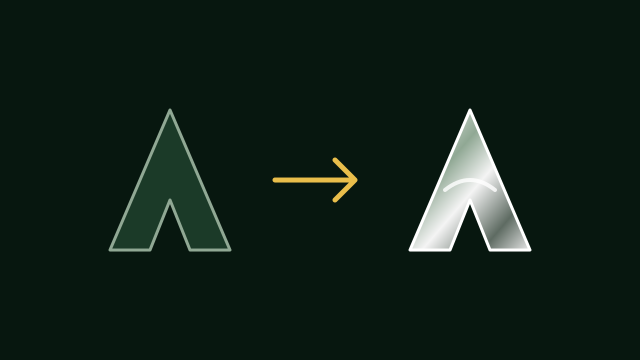
How it works
- You upload your logo as an SVG or an image. The app turns it into a mask and adds a beveled edge.
- A shader paints that shape as liquid metal that moves.
- You can change the background (metal, white, black or any color) and tune dispersion, edge, pattern blur, liquify, speed and pattern scale.
Tips from the app
The logo needs a transparent or white background. Shapes work better than words, and an SVG or a high-resolution image gives the best result.
What to know first
When you upload a logo on the website, the code saves the processed image to online storage to make a share link. Do not upload a logo you cannot show yet.
The repository uses the PolyForm Shield license. You may use the code, but not to build a product that competes with it, so it is not a classic open-source license. The Paper Shaders library itself is under the Apache 2.0 license and includes a liquid-metal effect, so it is the part to use if you want this on your own site.
How to use it
The simplest way is to open liquid.paper.design, upload your logo and tune it. To run the app yourself, clone the repository:
git clone https://github.com/paper-design/liquid-logo.gitTo add a liquid-metal logo to your own site, ask your AI agent to use the Paper Shaders package:
npm install @paper-design/shaders-react