scroll-craft is a skill for AI coding agents that builds scroll-driven websites. As you scroll, video plays forward frame by frame, sections stay pinned while their story moves on, and headlines build up line by line. Along with the motion, it follows firm rules for type, spacing, color and depth.
It is open source under the MIT license. It works with Claude Code, Codex and other coding agents that can read instructions, edit files, run commands and look at a browser. It also comes as a Claude Code plugin. On 24 October 2026 the repository had nearly 4,000 stars on GitHub, and its README describes version 0.3.0.
What it builds
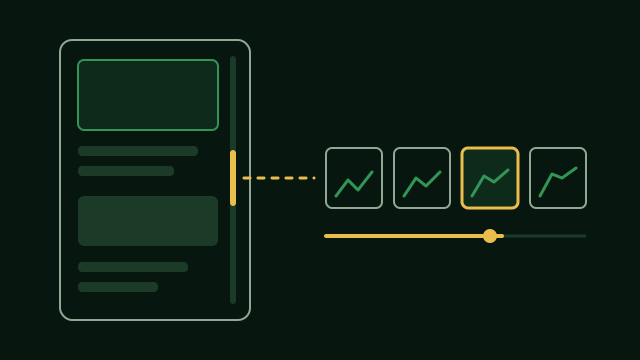
- Scroll as a timeline. Video moves under the scroll wheel, sections pin, rows slide sideways, and the background color changes as you go down the page. The mouse pointer can move things too.
- Eight page styles, such as a one-shot film, a chaptered magazine, a poster, a gallery or a split stage. Each one forbids what the others require, so two sites do not slowly turn into the same page.
- One signature move. Every site gets one interaction of its own that no other site has.
- A check against repeats. A new site has to differ from your earlier ones in at least four of six ways, such as the page style, the navigation, the opening and the ending.
The design rules
- Before it builds, it writes one line per section: the feeling it should give and what on screen causes it.
- One planned high point. The page gets one peak, with the most scroll room and the best images.
- Type rules: at most two font families, and a line length of 45 to 75 characters.
- A spacing scale built on 4 pixels, with more space above a heading than below it, and less padding on a phone.
- Colors with fixed roles and one accent color, and no pure black.
- Your brand guide wins. If you give it brand rules, they come before its own taste.
- A list of things it refuses, such as identical card grids, gradient text, fake dashboards, purple AI gradients and made-up statistics.
How it checks its work
A browser with no window scrolls through the finished page, waits for the video to settle at every position, and reports problems:
- Scroll that changes nothing on screen.
- Text that never becomes fully visible.
- Text without enough contrast, measured line by line against the brightest frame that ever passes behind it.
- A video clip that never loaded and just shows its first picture.
Then it makes a contact sheet of screenshots, because a machine can prove that a page works but cannot tell you whether it means anything.
What to know first
The project says it has only ever been run on Windows. Its scripts also look for FFmpeg and Chrome in macOS and Linux locations, but no site has been built on a Mac yet. It needs Node.js 18 or newer, a full FFmpeg build, and playwright-core with Chrome for the checks. A KIE_AI_API_KEY is needed only if you want it to generate images or video, which costs money. A page built from your own photos and footage costs nothing.
It is opinionated on purpose. It will refuse layouts and colors that make AI pages easy to spot, and it will argue with you about the high point of your page.
How to install it
In Claude Code, add the marketplace and install the plugin:
/plugin marketplace add nateherkai/scroll-craft
/plugin install nateherk-design
Then describe the site you want, or call it directly:
/nateherk-design:scroll-craftIf the installer asks for it, run /reload-plugins. In Codex, copy the whole scroll-craft folder from plugins/nateherk-design/skills/ in the repository into your project’s .agents/skills/ folder and ask Codex to use the skill. Before the first build, run the doctor script that comes with the skill, which finds the usual setup problems.