OpenMontage is an open-source system for making videos with an AI coding agent. You describe the video you want in plain words, and the agent does the work a small production team would do: research, script, pictures, narration, music, editing and the final render.
It is open source under the GNU AGPLv3 license. The project includes instruction files for Claude Code, Cursor, GitHub Copilot, Codex and Windsurf, and it works with any coding agent that can read files and run Python. On 24 October 2026 the repository had about 71,000 stars on GitHub.
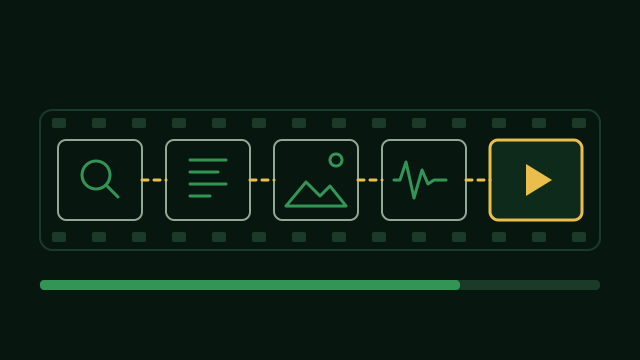
How it works
There is no separate program giving orders. Your coding agent is the director. It reads a written plan for the kind of video you asked for, then a short instruction file for each stage, and calls small Python tools to do the actual work. Because the agent you already use is the language model, OpenMontage does not need its own key for one.
The stages of every video
- Research. Before it writes anything, the agent searches the web for facts, common questions and visual ideas, and collects them in a short research brief.
- Proposal. It suggests a concept, the tools it plans to use and what it will cost.
- Script. It writes the narration, with notes on how each line should be spoken.
- Scene plan. It splits the script into scenes and decides what is on screen in each one.
- Assets. It makes or finds the pictures, video clips, voice and music.
- Edit and render. It puts everything on a timeline, adds word-by-word subtitles and renders the video.
Before you see the result, it checks its own work: it samples frames, measures the sound levels, checks the subtitles and compares the video with what was promised. You approve the creative decisions along the way.
What kinds of videos it makes
- Animated explainers with narration and music.
- Cinematic trailers and teasers.
- Documentary montages cut from real, free footage from sources like Archive.org, NASA and Wikimedia Commons.
- Short clips cut from one long video, and podcast highlights.
- Screen demos, talking-head videos and avatar presenters.
- Subtitles and dubbing of an existing video into other languages.
You can also start from a video you like. Give it a YouTube video, a Short, a Reel, a TikTok or a local clip, and it studies the pacing, scenes and style, then offers two or three original ideas in the same spirit, with a cost estimate.
What it costs
You can make real videos without any paid keys. Out of the box it narrates with Piper, a free offline voice, uses free archive footage and animates still pictures with Remotion. Paid image, video and voice services are optional, and the more keys you add, the more tools the agent can use.
Spending is controlled. The agent estimates the cost before it starts, asks before any single action above $0.50, and stops at a total budget of $10 unless you change these defaults. One of the project’s example videos, a 60-second animated short, cost $1.33 to make.
What to know first
It is a big project, not a single small skill. The project says it has more than 100 tools and more than 700 skill and knowledge files. The AGPLv3 license is stricter than MIT: if you change the code and offer it to others as a service, you have to share your changes.
How to install it
You need Python 3.10 or newer, FFmpeg and Node.js 18 or newer. Then run:
git clone https://github.com/calesthio/OpenMontage.git
cd OpenMontage
make setup
Open the folder in your coding agent and say what you want, for example: “Make a 60-second animated explainer about how neural networks learn.” API keys go in a .env file, and every one of them is optional.